Monday, October 23, 2017

Dot Day 2017: How We Make Our Mark as Collaborators

Dot Day is one of my favorite projects of the year. Not only is the book “The Dot” by Peter Reynolds a great book that students love, the story sparks so many great conversations with students and projects. For the past two years I have used the book as a jumping off point to lead a discussion about art, making our marks, how we make marks on other people’s hearts, and a discussion about collaboration and working as a community. Last year the culminating project was making art robots. (Here is a link to blog posts about that project http://thereimaginedlibrary.blogspot.com/2016/09/deeper-connections-with-dot-day.html).
After reflecting on last year’s project and some of the limitations of small hands and making some of the parts of the art robots, I decided to try a new art building project, building cardboard manual art machines.


The format of the project started the same as it has in the past. We began by reading the book “The Dot” and having the students map the beginning, middle and end of the book.

Next, we looked at the character of Vashti. Students were asked to brainstorm words they would use to describe Vashti at the beginning of the story and words to describe her at the end of the story.

Then, students brainstormed different ways that they made their mark with art and what materials they used to make art.

The next step was having students think about different ways that they made their mark on other people’s hearts. We talked about how we treat people and interact with them can leave positive marks on other people’s hearts. Students brainstormed all the different positive ways they interact with people including inviting people to play on the playground, helping a classmate to the nurse or holding the door open for classmates.

Building on the focus of positive ways students interact with classmates, the final step was asking students to think about a time that they made or built something with someone else and it was a good experience. I asked students to really think about what made that collaboration a positive experience. We documented all of their thoughts and then sorted them into similar themes. This process gave the students five characteristics or qualities of a collaborator. The five that the students came up with were: Listen, Share ideas, Everyone agrees, Everyone has a part, and Everyone is kind.


The next step in the process was to test their collaboration qualities. Students were put in small groups and asked to set the norms for their group to make sure that they use all the qualities of a collaborator. Each group set the rules and ways they were going to make sure that they would follow the qualities. I made sure to emphasis that these were going to be referenced throughout the process and if they needed to resolve a conflict they would need to look at their norms to help. Once groups set their norms, it was time to ideate.


Students were shown the materials that they could use to build their art machines including cardboard, wooden rods, duct tape, squirt bottles, paint and string. Groups then designed their art machines. They drew out their plans and then started building their machines. Groups used their norms to make sure that all students ideas would be included and that they worked together to make their machine.


Students started building!


The next step was the testing phase. Students filled one squirt bottle up with paint and tested their machine on a test sheet of paper. Many of the students had to think and rethink some of their designs when their first test did not work.

After reworking and rethinking their designs they tested again and then were ready for their final painting. Students used artist canvas to make their final collaborative piece of artwork. Each member of the group signed their artwork, just like Vashti did in “The Dot.” All of the student artwork will be shared in an art gallery show, just like Vashti in the book.


A new part of this project that I added this year was a reflection piece. I asked three prompt questions to get students talking about their process and any challenges that happened. I also asked them which of the collaborator qualities that they thought was most important in the process. I wanted to see what the students were thinking during this process and if they were making deeper connections with the work in ways that I hoped they would. Many of the reflections were very thoughtful about the work that they did and what was important to them and what they really got out of the process.


The plan is for the rest of the school year to have the collaborator qualities displayed in the library and in their classroom as students work together so they can reference them as they are working as collaborators.

Tuesday, October 10, 2017

Mix It Up Part 2: With Alexander Calder

The next step of this Mix It Up project was to learn about artist Alexander Calder. Calder is an amazing artist and he is the originator of the mobile. To introduce Calder we read the book Sandy’s Circus: A Story About Alexander Calder by Tanya Lee Stone. This is a great book about Calder’s life and the creation of the miniature circus, a series of figures including a lion and trapeze artists out of wire and other materials. The book is very colorful and the story is engaging for preschoolers to follow. I did add some details and explanation about topics in the book to make it more accessible for my Junior Kindergarteners.


Next, I shared images of Alexander Calder’s work including his circus wire structures. Then, I shared some pictures of Alexander’s work that have a connection to Chicago, his Flamingo sculpture is a famous work of art known to many Chicago residents. Many of my students were familiar with the piece and had seen it on trips in the Loop. I also shared some of Calder’s famous mobile works that have been on display at Chicago’s Museum of Contemporary Art and the Art Institute.


I shared with students that Calder’s mobiles will be the inspiration for the piece of art that they are going to create using the materials they had painted with the colors they had created.


During our next class students will decide on the shape that they want to cut their pieces into and how we want to layout our mobile!

Sunday, October 1, 2017

Junior Kindergarten: We Are All Unique and Together We Make a Beautiful World

The new school year is off to a busy and exciting start! The library that I work at went through massive renovation over the summer. I am so excited to use the new more flexible space and engage in some messy hands on activities with all of my students, especially with my youngest students, Junior Kindergarten. As I was looking for some inspiration on Pinterest and Twitter, I was reminded of the book Mix It Up by Herve Tullet. I love Tullet’s books and they are always a big hit with my students. So to start the school year and use our new design studio I decided to use the book Mix It Up as the jumping off for a collaborative preschool art project that linked what students learned in Mix It Up with the work of Alexander Calder with every student  contributing and creating an art piece to hang in the new library.


Junior Kindergarteners started with sharing the book Mix It Up and talking about what they learned about how different colors are created with the three primary colors. Next students used markers to test what they had learned and created orange, purple and green as well as making the colors lighter or darker by adding black and white.


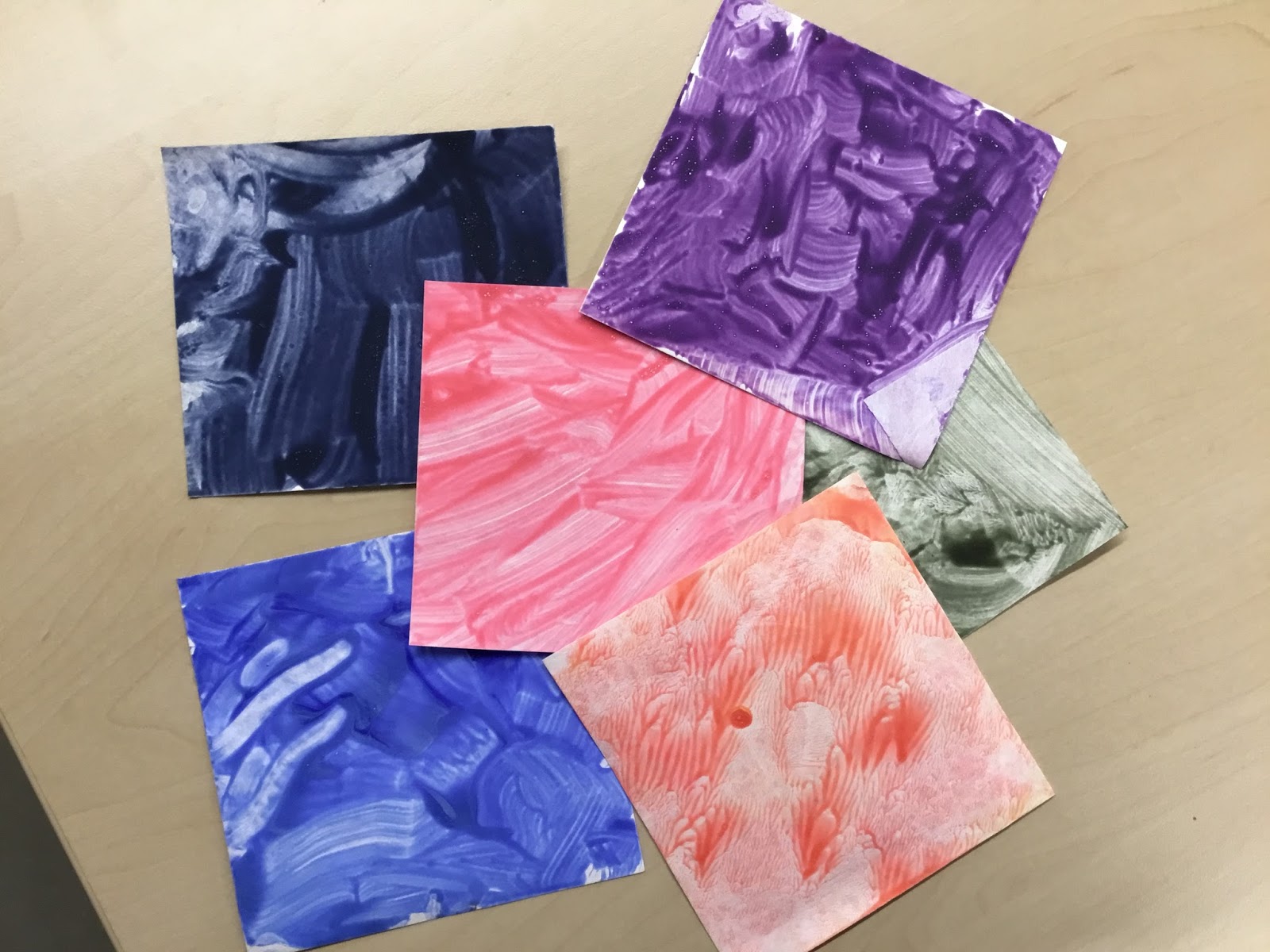
During the next library class students recalled what they learned about mixing colors from the previous week. Then students moved onto using paint to make their own colors. Students started by experimenting on paper to make their own color with washable paint. Next they were each given a square of Tyvek paper. This material is sturdier than cardstock but still flexible and easy to paint.


JK students were really engaged with the idea of being able to create their own colors and focused on mixing and making! They were also able to recall all the information they had learned from the first reading of the book Mix It Up to the next week when they started their color creation.

Next I will be reading Sandy’s Circus: A Story of Alexander Calder by Tanya Lee Stone. Students will learn about Calder’s art that will be the inspiration for our collaborative art piece!

Monday, May 29, 2017

3rd Grade Chicago neighborhoods & 3D design: Part 2

The next step in the third grade neighborhood study and 3D design challenge was reflection. Students had their notes from the see/think/wonder thinking activity looking at the history and architecture of the three neighborhoods they studied. Students also went on a field trip visiting the three neighborhoods to look at the details, architecture and to learn more about the history and culture of the different areas. Students were able to take pictures throughout the field trip. When students returned after their field trip we introduced the next step of the project. Students learned that they were going to use the 3D design software Tinkercad to create and print an object that was connected to something they learned or saw during their neighborhood study. Students spent time looking at their notes and pictures to identify something that they really connected to in one of the neighborhoods they visited. Students then wrote up a reflection on their inspirations. Students thought about the what but also the why. They wrote down why they were focusing on this inspiration and how that was connected to the neighborhood culture and the history that they learned about.


Third graders were introduced to Tinkercad 3D design software, www.tinkercad.com . Tinkercad is a free software program that is a great way to introduce students to get them started in the designing and printing process. The first step was to have students look at the different shapes that are available for them to design with. We had the students sketch out their ideas first, think about what shapes they could use to make their inspiration. Third graders were also shown how to change and rearrange the different shapes, make them larger or smaller, cut and reshape them and layer and build with the shapes. Then the students started designing. Some of their designs worked but many of the third graders needed to think and rethink their designs to make it work in the Tinkercad program. Students also had to get comfortable with the 3D design process. They needed to change the angles and rearrange the views so they could see their designs from all angles to make sure that their 3D design was complete. 3D design can be frustrating and take many iterations to create a final print. This project was a challenge for many of the third graders as they learned the program.


After students sent their final prints to the library’s 3D printers. The final step of the process was for students to create a Google Drawing poster with information about their project for the all class share out. Third graders included a picture of their inspiration, a screenshot of their Tinkercad design and a writeup of their explanation of their projects. Students included what they were inspired by, why they choose the project, and what connection the object had to the history and culture of the neighborhood.


Third graders did a great job on this project. They were excited to make deeper connections to the neighborhoods and city that they live in by learning more about the history and people that inhabit it. Students also really embraced the challenge of thinking about a building, sculpture, or historical event that they connected with to design a 3D object inspiration. They took on the challenge of learning the 3D design software. It was interesting to watch the students as they struggled to figure out how to make their designs work and the challenge of taking on learning a new skill. It was a struggle sometimes to take a step back and let the students figure out how to fix their designs on their own but it was worth it see the excitement and pride on their faces as they finished their designs and sent them to be printed.

Monday, May 22, 2017

3rd grade Chicago Neighborhoods & 3D design Part 1

At the end of the school year third grade students study the city of Chicago, its history, neighborhoods and immigrants and people. Students spend time learning about the different immigrants that moved to Chicago, the Great Fire and architecture of the city. To end the school year we also wanted to do an extension project in the library project time that connected to this central topic. Third grade had not been introduced to Tinkercad 3D design software and the 3D printers. I decided to combine these areas for our last collaborative project of the school year.

To start the project students focused on the three neighborhoods that they talk about during their immigration study, Bronzeville, Pilsen and Chinatown. Bronzeville is a traditionally African-American neighborhood that was settled during the Great Migration. Pilsen has been a neighborhood of immigrant working population for over 140 years, the last 40 years it has mainly been home to Mexican immigrants. Chinatown was founded in the early 1900’s for the thousands of Chinese Americans that migrated to Chicago from California with the building of the transcontinental railroad. In each of the deeper studies of these neighborhoods we focused on different aspects of the neighborhoods that highlighted the cultures and histories of these distinct areas.

Our first neighborhood of focus was Bronzeville. The focus of this study was looking at the Great Migration and individuals that it brought to the neighborhood. Students learned that the Great Migration was a movement of more than six million African-Americans from the racist south to the North where there were more jobs and opportunities. They still faced prejudice and discrimination but it was not as overt as the Jim Crow laws of the south. Students then looked at images from Jacob Lawrence’s painting series about the Great Migration. Next students learned more about African-Americans who moved to the Bronzeville neighborhood during this period of time. They learned about Bessie Coleman, Louis Armstrong, Gwendolyn Brooks, and Ida B. Wells. Students read articles about these individuals and looked at archived images of the people and connections to some of the places in Bronzeville.


The next neighborhood we looked at was Pilsen. The Pilsen neighborhood has been a haven for working class immigrants for more than 150 years. The neighborhood started out with Irish and German immigrants working in the stockyard and railways of Chicago. Then came the Eastern European immigrants, Czech immigrants gave it the name Pilsen. For the last forty years the neighborhood has been home to Mexican immigrants. Over the last several decades community leaders have commissioned artist to create murals in the Pilsen neighborhood that reflect the issues that are important to the people of the neighborhood. Students spent some time looking at the murals and learning more about the meaning behind the paintings. Many of the murals deal with the challenges facing undocumented immigrants in the United States. Students read an article that talked about the challenges facing this community and what that means for the Pilsen community.


The final neighborhood that we looked at was Chinatown. Students learned about the history behind the area. Third graders learned that many Chinese immigrated to the United States in the 1850-60’s coming to California. Many made their way East working on the transcontinental railroad. In the 1870’s there was an economic crisis and the United States government passed a law called the Chinese Exclusion Act that prevented immigration from China. The goal of this act was a racist law that wanted to prevent Chinese from coming to the United States and keeping the available jobs for white Americans or European immigrants. An additional effect of this law was that Chinese Americans living in California were the victims of hate crimes and horrible treatment. Many Chinese left California to move East in the hopes of finding a friendlier area. Chicago was a more welcoming environment for the Chinese but not a perfect one, they still experienced prejudice and racism here as well. Third graders learned that in 1902, leaders in the Chinese community in Chicago started to lease and acquire land in the neighborhood that is now Chinatown. The community leaders wanted the neighborhood to be a place that was welcoming to Chinese Americans and Chinese immigrants. They also wanted the area to reflect important elements of Chinese architecture, design and culture.


In each of these dives into the neighborhood students listened to articles or music, read background information about people, places or major events, and spent time looking at paintings and current and historic photographs. Students used many of our digital research resources for this study. Third graders followed the see/think/wonder thinking routines at each of these stations to keep take note of what they saw in the images and photographs, facts and information they connected with and what they were still wondering about. This thinking routine would help them as they went on a trolley tour of the neighborhoods they learned about and connected the information they were learning in their classroom curriculum about immigration and Chicago.


Next step: Neighborhood inspirations & 3D design

Sunday, May 7, 2017

Kindergarten: literacy, coding & music, Oh My!

Working with kindergarten students I am always looking for ways to connect books and literacy with technology and maker skills. I want students to dive deeper into the books that we are reading and also connect this with deeper creation and technology skills that we can build on as they move up in grades. For the past few weeks my kindergarten students worked on a project that connected the book Goldi Rocks and the Three Bears by Corey Rosen Schwartz with music and coding.


We started this project by reading the book Goldi Rocks and the Three Bears. The book is a very funny retelling of the story of Goldilocks and the Three Bears. Students then talked about the important events that happened at the beginning, middle and end of the story and who were the main characters in the book. We also talked about what was the same and what was different about the Goldi Rocks version of the book and the original version of the story. Next I introduced the project to the students. I told them we would be planning and creating a dramatic musical retelling of the story. Students were assigned to a musical instrument that was in the book: guitar, piano, drums and cymbals. I shared with students that we would be building a computer to make our musical instruments. They were all excited to see how this was going to happen!

I shared with students the Makey Makey. This is an innovation kit that allows you to make your own keyboard that can then connect to everyday objects and your computer to create an interactive keyboard. The first step was to have the students create the sound and connect it to coding on the Scratch code website. We had spent sometime this winter sharing coding apps and robots with students so they were familiar with the idea of creating coding that instructs the robot on what to do. I showed students the Scratch program and each was able to record their musical instrument sound. Each sound connected to a key on the keyboard, in turn that key corresponded to a key on the Makey Makey board.


The next step was to connect the code and the fruit to the Makey Makey for each instrument. We used different fruits for our instruments. Students learned how the fruit connects to the Makey Makey board with an alligator clip, then the board is connected to them as well as through the earth key to connect the circuit. Each piece of fruit connected to an instruction that the students had created in the Scratch code they created for each of their sounds.

The final step was the dramatic musical retelling of Goldi Rocks and the Three Bears. Students “played” their instruments when it was mentioned in the story and there was a huge jam session at the end for the worldwide tour of the band Goldi Rocks and the Three Bears!


Students had a great time with this project. Each week kindergarteners retold the story of Goldi Rocks, recalling important elements of the story and focusing on the sequence of the book, an important early literacy skill. Students also made connections with what they had learned about how coding works and created their own code and connected it to the keyboard to create an interactive computer keyboard. This will allow us to continue to build on these early technology and coding skills as the students advance in grades to more complex computing skills. As a great bonus it was so much fun! The students had a great time finding music and making interactive musical fruit!

Sunday, April 9, 2017

Design Thinking, Literature & First Grade Part 3

First Grade Fairy Tale Design Thinking Project: Prototype & Share Out

First grade students moved into the final step of this multi-month project with the prototype and share out stage of the design thinking process. During the previous step, Ideate, students worked in their small groups to come up with different solutions for the problem that they had decided to focus on. Students then determined what was the solution that they were going to focus on or combine their different ideas into one idea. Next first graders started building and creating their prototypes. For prototyping students had access to lots of different materials from cardboard and construction paper to pipe cleaners and playdoh. Student worked in their groups using their collaborator quality norms to make sure everyone was working together and had a voice in the prototyping.


As an added element to the prototyping stage the students were able to design and print an element of their prototype with the library’s 3D printers. First graders had been asking to be able to print something with the library’s printers and this was a perfect opportunity for students to learn how to use Tinkercad, a 3D printing software, and make a 3D object that was connected to a project they were working on. Students collaborated with their groups to decide what each of them was going to design and print that would fit into their prototype. First graders were introduced to the Tinkercad program with a short tutorial on how to 3D design using different shapes. Then they dived into the program figuring out how to manipulate the shapes to create the object. First graders did a great job designing, reworking and rethinking their ideas to create an object for their prototype.


The final step in the project was for the whole first grade to come together and share their prototypes. An all grade share out was hosted in the library where students were able to share their prototypes and see the work of their classmates. Students created signs that explained what the problem was they were trying to solve and a brief description of their prototype. Students were excited to not only share their solutions but see the problems that classmates in other classes worked on see the solutions that were developed. A final reflection was held were first graders shared what they noticed about the prototypes and the whole design thinking process they had engaged in.


This project has become one of my favorites. Students become so engaged in this process. They are excited to dive into different versions of stories and are always making observations that are new each year. The connection to literature is something that my classroom teachers really love about this work and notice the benefits that this project has on their reading and writing work in the classroom. First graders are so engaged in the building process, they are self-reliant and collaborative as they turn their ideas into prototypes. Students are so willing to take their ideas and redesign and rework their plans to create a prototype. First graders are so invested in the idea of creating a solution that will help someone else. I am hoping that I can continue to build on this work with these students as they advance through the grades and continue to engage them in fictional and real world issues using the design thinking process.