Friday, March 1, 2024

Making Beautiful Coded Music with Kindergarteners: Connections with books, music, coding and MakeyMakey

 With my younger students I am working on making connections with books, what we are reading and connections to their lives as well as a way to make connections with technology and introducing new types of  technology. I have always loved the Makey/Makey piano. It is such a fun and exciting way to share the concept of physical computing and young students love it and are filled with such joy when they use it. This sparked an idea to connect books, physical computing, a real piano and some collaborative making!


We started out this three weeks long project with reading books that featured a piano. We read two picture books “The Bear and the Piano” by David Litchfield and “Khalinda and the Most Beautiful Song” by Amanda Moechel. Students made connections with similarities between the books, the characters and the role of music and the piano in each of the stories. We then talked about how a piano works. We read the nonfiction book “Musical Instruments” by Claude Delafosse. We also looked at pictures of a piano and talked about how the instrument works. Kindergarteners learned that when you press on a key that a hammer hits the string and makes the sound, the length of the string determines the note that the piano plays.


During our next class, we took a field trip to the public piano in the main lobby of the school. The piano is open and available for students to use during breaks and free time. Kindergarteners were able to see the keys, strings and hammers move and create the music and sounds. Each student was able to press the keys and see the hammers move to hit the strings. This hands-on experience helped them to see and better understand how the piano works.


Then we made connections with the idea of how when you touch the key it triggers the hammer to make the sound and the idea of physical computing. Students have lots of experience with Scratch Jr coding app, they learned how to code different characters to move in the program. With this project, I wanted to make deeper connections with the idea of connecting a physical object with code to make it do something. Students made connections with the instructions they give to the characters in Scratch. For example, add the green flag code block and a move forward code block, when the green flag is pressed the character moves forward one space.

After making the connections with the work they had already done, I introduced the  Makey/Makey, a circuit board that connects everyday objects to the computer keyboard. The Makey/Makey was connected to the plug and play piano app. The Makey/Makey connects to conductive materials that trigger code connected to the up, down, right, left and space bar on the computer. For example if you have an alligator clip connected to the up arrow, a user can press the alligator clip connected to the home key and the up arrow and that triggers the code to play the sound connected to the up arrow in the code.


During our next class together, students tested different objects and everyday items to figure out what was conductive. Fun things like fruit, vegetables and water are conductive but stuffed animals, books, and plastic toys are not. Students learned that metal is a conductive material including tinfoil. Now it was time to make their own conductive piano. KIndergarteners were put into groups of four and each group was given a long pieces of cardboard and a sheet of tinfoil, They were able to decorate their piano key anyway they wanted with paper, stickers, markers, tissue paper etc, making sure they had a tinfoil key as part of their design.


The final celebration was a whole class piano recital. Each group was set up with a computer, a MakeyMakey, their tinfoil piano keys were connected to the plug and play piano, and they each had a home key to complete the circuit. KIndergarteners made beautiful tinfoil, physical computing coded piano music! 


This project made many connections for kindergarten students. They made connections with the picture books they read and the real instrument that they see and use in school and at home. Kindergarteners also advanced their thinking and understanding about coding and how it works in an app but also the foundations of how it is used to make objects move and work. Students worked together in small groups to make fun, creative and unique pianos and then had a great time working together to make beautiful music!


Friday, February 16, 2024

Gingerbread Man Loose in Junior Kindergarten: A Collaboration between literacy and technology

 When I think about collaboration at my school library it is collaboration between teacher or students. For this project, I thought about collaboration between literacy and technology and between students and the classic tale of the gingerbread man.

Several years ago the librarians and the technology teachers advocated for the creation of one department where literacy and library skills were merged and taught with technology education skills in a project based environment. We have created a curriculum that weaves different concepts of literacy and introducing technology and making.

One of the grade levels I work with is junior kindergarten, four year olds. When they first start the school year in September it is a big adjustment. A new classroom, teachers, friends as well as being in a huge building with older students. I always start the school year easing into the library space and how JK students use it. We start with storytime and story sharing and giving students plenty of time to explore the space and find a book for the week. We read lots of different types of picture books and nonfiction books to explore and talk about. As the school year moves into November, I start to do a short project connected to a book we read. Then we expand to reading a book or two one week and then doing a project connected to the book the next week. For the first big junior kindergarten project of this year, I developed a three week long gingerbread themed project!

The project started with reading and exploring different versions of the story of the Gingerbread Man. We read the Gingerbread Man by JIm Aylesworth, a more traditional version of the book. Students talked about the sequence of the events of the story and made connections with the characters and setting. The next version we read was Gingerbread Man Loose in the School by Laura Murray. This is a funny version of the gingerbread man searching the school to find his class. Again, students made connections with the sequence of events and the characters. They then made connections with the places in the story and our own school. We talked about the different spaces they go to for art and PE, the nurse when they need help and the library.


The next week when students came to the library I introduced our robot gingerbread activity. I talked about how we give code or instructions to robots to make them move. I showed them our Ozobot robots. Ozobot robots read marker paths to follow directions and paths. For their activity, I covered our tables with white butcher paper and printed out sets of pictures from the different places in the story The Gingerbread Man Loose in the School. Students worked together to put the pictures from the book in order of the events of the story. Then they drew lines from the different pictures. I made copies of pictures of the main character and taped them to the top of the Ozobot robots. Students then had the gingerbread man robots travel to the places while retelling the story. Junior kindergarteners worked with each other to remember the details of the story, make their gingerbread robots move and have fun retelling the story.


The next week, we introduced the laser cutter we have in the library. Our glowforge laser cutter reads files and then uses the laser robotic arm to follow the design and cut into the materials. I set the laser cutter working to cut gingerbread shapes out of the draft board. Each student received their own laser cut gingerbread person to decorate with pom pom balls, stickers, markers and googly eyes. Junior kindergarten students were able to take their gingerbread person characters home to retell the story of the Gingerbread Man Loose in the School or make their own gingerbread person stories.


This project was fun to do with my junior kindergarteners as a longer project. It was a good connection with literacy and technology concepts and ideas. Students made some connections with their own school experiences and what they read in the book. Students also worked together to recall details from the story and program and code their gingerbread man robots to move and finally they were able to take what they had learned and create something new to share with their families.


Friday, November 17, 2023

How Student and teacher collaboration lead to a visit from Godzilla!

 When thinking about collaboration the focus is on classroom teacher and librarian collaboration, collaboration with fellow librarians or collaboration with community members and other stakeholders, all of these collaborations are essential to a school librarian. The other collaboration that school librarians can foster is the one with students. When students feel like they are engaged in the learning process and are part of the planning they are engaged in the learning. There are so many opportunities for school librarians to make connections with students and their interests and give learners voice and choice in what they do. I wanted to share an example about how a student interest resulted in one of my favorite projects!

One of my students starting from kindergarten loved all things Godzilla, he wanted books about Godzilla, he shared facts about the giant monster and anytime I would introduce a new project he would ask “Is it going to be about Godzilla?” Soon other students in the grade were asking about Godzilla! At the beginning of second grade, this student asked if we could please do a Godzilla project this year and I said yes, I will find a way to have one of the projects we do this year about Godzilla. The challenge was to think of a project that would incorporate learning outcomes for all second grade students and somehow being about the mythical monster. In our curriculum we focus on weaving research and understanding with collaboration, design, prototyping and making. How could I take those overall concepts and mindsets and add the ancient monster Godzilla?  The final project design incorporated research and collecting information, collaborating with others on designing and building and an inflatable Godzilla costume!


On the first day of the project second graders came to the library and a letter was waiting for them. They received a message from Mayor Frank of the city of Parkeropolis, the fake town named after our school and the mayor after the head of the school.  Mayor Frank needed the second graders' help. He heard what innovative designers and thinkers they were and Parkeropolis was under threat from a mysterious monster who was waking up. The scientists of Parkeropolis learned the creature was not trying to destroy the city because he had changed his ways. However, because of his size and features, he could do damage to the buildings, bridges and schools of Parkeropolis. Mayor Frank asked the second graders to work together to plan, design and build prototypes that could withstand a visit from this creature. Included with the letter were packets of materials for second graders to use to research and learn more about this mysterious creature. Mayor Frank also let the students know he would be sending something to help test their prototypes.

Second graders got into design groups and started researching.  Students learned about Godzilla’s height and weight and how it compares to other structures and objects. For example, Godzilla weighs 66,000 tons; the same as nine blue whales, and Godzilla is 7x taller than Niagra Falls! They also collected information about Godzilla’s different features, like he can swim and has bony plates on his back and tail. After groups looked through their research materials and collected data, they were ready to plan and design buildings, bridges, and schools that could withstand the visit. They were given instructions that Godzilla was not to be hurt but that their builds could be bumped or knocked into by Godzilla and survive, or they could deter Godzilla. Second graders worked on their collaboration skills, how do you plan and design with others, they worked on listening to each other and ensuring that everyone had a part in the design plan. Learners also talked about how they would build their prototype and what jobs each of them would have to make sure they were able to complete the project in time for testing day.


The design groups came up with so many creative ideas, including: using springs so buildings and bridges could bounce back if knocked over, shiny materials to distract Godzilla, buildings on wheels to move, and even a building with a Godzilla doll to show that they were all friends. Once the groups had their plans, they started building their prototypes using materials in the makerspace. All the materials in our makerspace were available for students to use, each group had to continue to talk, plan and collaborate and take their design plan and build a prototype with the resources and supplies available. Second graders used everything from cardboard and duct tape to bubble wrap and tinfoil. Each group collaborated on their materials and design choices and made changes and adjustments as they built to make their prototypes work.


Each design group made a short video explaining the features of their prototype and how it met the challenge from Mayor Frank. They created a script and had each member of the group share a part of their prototype explaining how their design would protect the building or space and not harm Godzilla.

Finally it was test day! Second graders received word from Mayor Frank that Parkeropolis would be sending a tester to see if their prototypes worked. On testing day, students set up their Parkeropolis prototypes and then Godzilla arrived! Godzilla, our middle school dean dressed in an inflatable Godzilla suit, went around to each prototype and tested it to see if the designs would work. The second graders’ prototypes were a success!


This was a wonderful project that developed through student interest and collaboration with teachers. Students worked together, designed, planned, ideated, and prototyped different ideas. Learners needed to listen and talk to each other to have a successful project. They also realized that they could only be successful if they worked together, they never would have been able to complete the project in the time they had individually. Students reflected on the great ideas that they developed by talking to each other and combining and sharing ideas. Second graders did a wonderful job working together, taking information, and designing based on what they learned about Godzilla and taking on the challenge of building a Godzilla proof building that did not hurt the giant creature. Second graders were thoughtful and innovative in the different materials to bring their ideas to life and then sharing how their design met the challenge.

The subject matter of Godzilla might seem like a strange and silly topic to have for a school project but it was possible to find a way to design a curriculum that met goals and standards for students and the library while also listening to student interests. This project was filled with so much joy, excitement and fun! Second graders still worked on research skills, collaboration, design and planning skills while having an absolute blast. Every library class was filled with energy, enthusiasm and so much laughter. When you are able to collaborate with students on what happens in the curriculum that joy translates to a love of learning and if it involves an inflatable Godzilla costume even better!


Wednesday, October 26, 2022

Superheroes, Collaboration and Community!

Superhero books are super popular with my young students. They love all things Avengers and Wonder Woman and Batman. These books are so popular that we have them all in a bin in the library. It is not worth taking the time to shelve them because kids are always looking to check them out. I wanted to think of a way to take something that my students are excited about and find a way to weave that into the curriculum.

Several years ago I attended an amazing professional development conference at High Tech High in San Diego, CA. How the school curriculum and student experience is crafted is inspiring. I incorporated so much about what I learned into my curriculum and work. I still receive High Tech High’s PD journal Unboxed, sharing projects and ideas. One project caught my eye, first graders at the school created and designed their own superheroes. This was the connection and inspiration I was looking for! Taking some ideas from the HTH description and making connections with the first grade class curriculum, a SUPER project was born!


The project started with exploring and reading lots of superhero books. We have a whole bin full of books on Batman, Wonder Woman, Captain America, Ms. Marvel and more. We read some books together and collected data. After we read one superhero book as a class we collected information on what the superhero’s power was and how they used their power to help others in their community. Using a large grid on the wall, we add our data. Then students worked in small groups with a teacher or a teaching assistant to read several more superhero books. They collected their data and then reported the information back to the class and added it to our wall of data. By the end of our information gathering process, first graders collected data on over 15 superheroes.

Next, we introduced a silent sort. We talked about how we were going to try and organize our data to help understand how superheroes help their community. We started by modeling the process. I took two of the sticky notes from our data wall of examples of how superheroes help their community. I then started to stick them on the walls in different categories that went together. For example, “stands up for people” and “helps people who do not have a voice” went in the same category. Students then worked to move, sort and organize the data into categories. When we finished sorting all the information, we discussed the categories and named the overall theme of each group, this helped us create a list of superhero traits. Each class generated a theme list of five to seven traits of a superhero.This collaborative work showed first graders how to “establish connections with other learners to build on their own prior knowledge in a learning group” (III.B.2)  The list included: Standing up for others, taking care of people we know and don’t know, protecting animals, plants and all living things in the universe, being welcoming to all people in our community, standing up for people who cannot stand up for themselves and using their powers to help others and not for themselves.

The silent sort technique was a new strategy to share with students that showed how to “actively contribute to group discussions” (III.D.1). The sort is a great way to incorporate all students, especially those who need more time to process ideas and share their thinking. Organizing our ideas also helps students to collect their information and as a group decide on themes and ideas from this research, first graders “developed new understanding through engagement in a learning group.” (III.A.2)

Now that first graders collected and gathered information about superheroes they were ready to design their own superhero identity. First graders thought about how they would use their superhero powers to help the school community. After brainstorming ideas, they decided what super powers they would have, how they would use their superpowers to help people in the community and what their superhero name would be.

Next, using the Cricut software, students used shapes to design their own superhero logo. We then cut their logo out of press on vinyl and ironed their logo onto a cape!


The final step was taking their superhero picture. We placed a green screen cloth on the floor and had the student lie down on the floor in a superhero flying pose. We stood on a chair and took a picture from above using the green screen app Do Ink. Now they looked like real superheroes flying to the rescue. Students were able to keep their superhero capes and hopefully they will think about the superheroes they created and be inspired to help the community. I then created a website to share the project and our first grade superheroes with families and the community.


The project was a fun way to incorporate books that are very popular with our students and see them excited to read and share about superheroes. I was also able to introduce some new ways for students to collaborate and share information. Students used a new design tool with the Cricut software to create. They also learned about green screen apps and technology. First graders were so excited to design and create their own superhero identity!


Tuesday, May 31, 2022

Literacy Skills & Video Game Design: A Perfect Collaboration

 Video games, my students love them! They love gaming from Mario Cart to Minecraft. I am not a video game fanatic or even a casual gamer but I see the appeal of the format. Video games are engaging, fun and exciting and they are a format for storytelling. Some of the more advanced video games have complex worlds, characters, plots and storylines. So it made perfect sense to create a project that connected literacy and storytelling skills with video game making for my first graders. This project allowed me to make connections with the literacy skills that we are developing and what is happening in the classroom and accomplish some of our technology goals in one fun project.


Over the school year there is a common thread when I am sharing a book with my first graders, we talk about the setting, characters, the journey of the story, beginning, middle and end of the story and how those elements are all connected. With this project, I started the introduction following this process. We read one of my favorite books, The Great Gracie Chase. I like this book because of the simple fun storyline and the great illustrations. The book is the story of Gracie the dog,  who is upset when the painters at her house disrupt her quiet house and she is put out for barking. Gracie is deeply offended at this, so she decides to take herself for a walk, something she is not permitted to do. Then everyone in the town starts chasing Gracie to stop her, the race is through the town and more and more people join the chase, until everyone is worn out and Gracie then walks herself back home where it is quiet again.


We created a chart that shared all the details of the story; beginning, middle and end, characters, setting and how all those elements were connected in the book. We talked about the setting of the town and how it connected to the character of Gracie and how the beginning, middle and end flowed with the setting and Gracie. After we documented the elements of the story, we had a conversation about video game design. Many of the video games also have elements of storytelling including characters, backgrounds, protagonists and challenges. We talked about how video game designers work for years to create all of these parts of the game and make sure that their game connects and makes sense.


Next, I shared with students that they would be designing and building their own video games based on a story that they created. The first step was to storyboard and come up with the outlines of their game/story. I modeled my storyboard based on the Great Gracie Chase. I shared that my main character was Gracie the dog, the villains were a bicycle and a paintbrush, based on the people who chased Gracie, her power ups were hotdogs, a food she loves and a goldfish, her best friend,  and the points to collect in the game were dog bones. The setting and background was a neighborhood with a street, houses and trees. The goal was to get Gracie back to her house, the path that the story followed.


Students started by drawing pictures of their main character/hero, then their setting/background, their villain/protagonist and power ups, items their characters could collect to get new lives and powers. We talked about how they were telling a story with their games and needed to make sure that the elements of the game were connected. After the students sketched out their game elements and explained their stories it was time to move to the next step. 


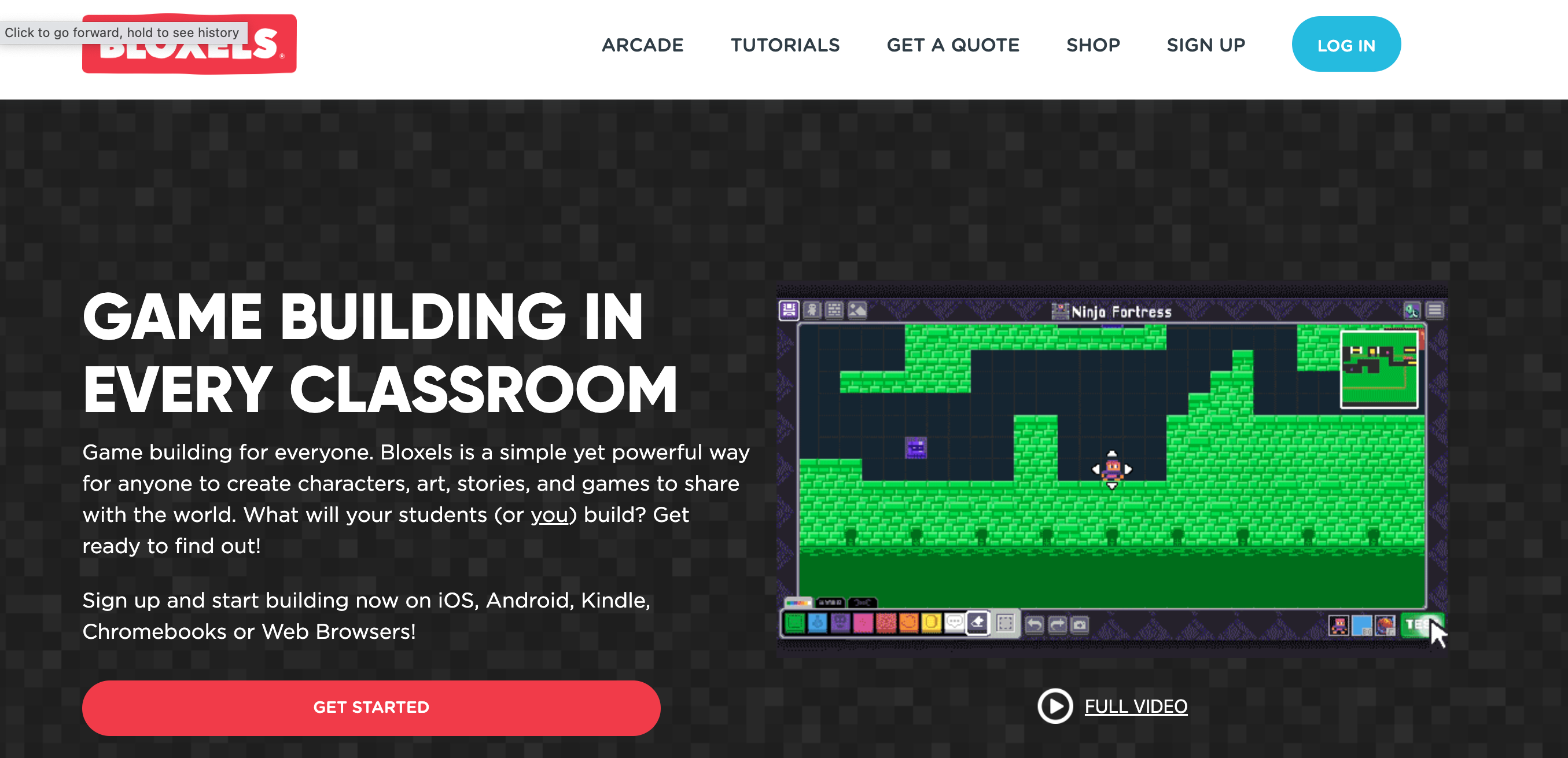
Next, I introduced the app Bloxels. Bloxels is a game building program. The user designs different elements of the game, characters, power ups, villains, etc and allows the user to program the different elements with different features, like powers and lives. The program also uses color blocks for the code. The student is able to place the color coded blocks in the game to program where ground, water, hazards, power ups, villains are in game. The color coded blocks make this video game design program accessible for younger students, they are able to program and code the games following the color system so it is a perfect tool for emerging readers to feel successful in game and coding design producing a fun and impressive game to play.


The students spent several class sessions making their game elements in Bloxels and then coding and building the game in the program. The students connected the coding with their design elements and then tested and had other students test their games. They made different edits to the game based on feedback making sure that all the elements of their game worked, that their game was fun and challenging. (Learner III.C.1)


The final step was to publish the games and have a big gaming day. Students used the feedback I like, I wish, I wonder. After they play a classmate game, the student knows what they like about the game, what they wished they had changed about the game and what they wonder could be added to the game. This feedback routine helps students to expand on their feedback beyond “I liked it, it was fun” and also stays positive by sharing what they liked first and gives suggestions for changes as well as for advancing the game.  (Learner III.C.1)


This was a great project that connected literacy skills and terms that students work in the classroom, connected with coding, design and technology and wrapped it all up in video gaming, something that the students love! They had so much fun with their project and were so proud of the games they created!


Thursday, March 24, 2022

Third Grade Cardboard Arcade Extravaganza: Collaboration & Cardboard a Perfect Combination

 When I start planning for projects with my students in the library, my first step is to check in with the classroom teachers and ask about themes, topics and ideas they are looking at in their curriculum. The third grade curriculum focuses on the history of Chicago. Over the years I have created different projects that connected with the curriculum that was happening in the classrooms. (School Library III.A.1) This year I wanted to create a project that would connect with their classroom curriculum but was also a collaborative, hands-on building project. The last couple years of Covid restrictions have limited the collaborative projects I have been able to do in the library. As I was thinking about this project I remember a previous project that I did about the 1893 World’s Fair in Chicago and the Ferris Wheel, one of the highlights of the fair. This sparked an idea about innovation and other famous firsts that started in the City of Chicago. This led to the Third Grade Cardboard Arcade Extravaganza!


Students started with reading the book Mr. Ferris and His Wheel, the story of the first Ferris Wheel ever built, and one of the biggest attractions at the 1893 Chicago’s World Fair. Students then learned about some of the other amazing innovations in Chicago’s history, everything from car radio to Roller Derby and mobile phones to the first brownie recipe. Third graders also learned that at one time in history, Chicago was the pinball machine capital of the world with all the games made and manufactured here in the city. I shared the story of  Caine’s Arcade, the viral video from 2012 that tells the story of a nine year old who built his own cardboard arcade. Then I shared their challenge, design and build their own cardboard arcade games.


This project was a connection with Chicago history and innovation in Chicago but the main goal and focus was on collaboration. I wanted to give my third graders an opportunity to focus on how they work with each other and remind them of those skills and get back into the collaboration mindset, something that was rusty since Covid mitigations limited student interaction. One of the main goals was to have students establish group norms before they got started designing so that they could learn to be better collaborators. The very first step when they were placed in their groups was to create their group norms for how they would agree on their design and material choices, how to manage disagreements and how to handle job assignments. After each group set their norms, we were ready to move to the design step. (Learner III.B.2, Learner III.D.1)


One of the first activities groups did was brainstorming and sorting. Students started by brainstorming ideas for arcade games they could make out of cardboard. Each student had a set of post it notes, I set a timer and students started writing down all of the games they could think of to make with cardboard. Some of the games were based on games at the arcade or ones they saw in Cain’s Arcade and some of the games were ones they made up. Students could write down names or draw pictures of their games. Next, they did a silent sort of their ideas, placing and moving their ideas into piles of similar game ideas. This allowed the teams to narrow down their ideas to about 3-4 game ideas. Students then talked and compromised to pick a final idea. Some of the groups decided right away noticing that they had the most post it notes in one type of game, some had to talk things through and compromise by taking parts from different games and combining them to make their own new game. (Learner III.C.1, Learner III.B.1, Learner III.A.2)


Teams worked together to decide on their game and then sketched out their design ideas, including what materials they would build with, the rules and instructions for their game and tickets, and prizes for players. Students in their teams also focused on working together to assign different jobs so that they could complete their cardboard arcades in the timeline that we had.


Then they started building! Using materials in the TIDES Garage, including lots and lots of cardboard from the cardboard closet, duct tape, plastic wrap, hooks, battery timers, pipe cleaners and more, they built their prototypes. Throughout the process, third graders tested their games, and made changes and adjustments to make sure they worked. They created signage for their games with instructions, and created ticket dispensers and prize bins. Teams tested their games by asking fellow classmates to read their instructions and test the games to make sure other third graders would be able to play the games. ( Learner, III.A.3, Learner III.C.1)


After every team finalized their games and added decorations, it was time for the Third Grade Cardboard Arcade Extravaganza!


The whole third grade gathered in the library to spend time playing all the amazing cardboard games that they built! Students and teachers had a great time playing games, collecting tickets and winning prizes. It was a fun way to celebrate the collaboration and design process the third graders engaged in to make some really cool arcade games!

Friday, November 19, 2021

Collaboration, Cooperation, Coding connected with Gaming

 A couple of years ago I came across this post by Colleen Graves on Instructables “Collaborative Makey Makey Sensory Maze.” It was such a cool project and it inspired me to make a collaborative Makey Makey maze for my kindergarten students for a solar system unit we were doing. I shared that project in a previous post: Coding, MakeyMakey and a Field Trip Around the Solar System. This project was so much fun to make and included the kindergarteners' voices and recordings with facts about what they learned about the different planets during our research but the coding and the building of the map was done by me and not by the students. I have always wanted to do a project where the students were the ones to code, design and build an interactive conductive board with Makey Makey, this year I had the chance with my fifth grade students.

For this project, fifth graders were challenged to work in collaborative groups and design, code and build cooperative, interactive video games. Students worked in design teams using different conductive materials and technology tools to create their interactive games.  Their game needed to be a cooperative game, two players that needed to work together to win the game.

The project started with introducing students, or reintroducing some students, to the Scratch coding program. Scratch is a free online coding program designed at MIT’s Media Lab. Scratch coding is a way for students to learn the coding language, as well as learning how to design, solve problems, iterate, share their work and amplify their voice.

Fifth graders explored the different code blocks, characters and background options. They also spent time playing games created with Scratch and shared to the Scratch site by students from around the world. This helped spark ideas about games that they could make themselves and allowed them to explore the code they would need to make their games. Scratch is a wonderful tool to use when integrating the Shared Foundation of Collaborate into the learning experience. When exploring the resources in Scratch “Learners participate in personal, social, and intellectual networks by: using a variety of communication tools and resources (Learner III.B.1) and establishing connections with other learners to build on their own prior knowledge and create new knowledge.” (Learner III.B.2) Fifth graders connected and explored the work of other learners from around the world on the Scratch Explore page, seeing what students were able to build and because Scratch is an open sourced coding platform, use some of the code that other students created. They also were able to build on the knowledge they had about coding, learn new coding techniques and build new code to share in the games.

Next students were put into their game building groups. Groups had a brainstorming session where they came up with ideas about what type of game they wanted to create; a maze, avoidance, where the players had to move to avoid an object, or a collect game, where players needed to collect objects in the game, or a combination of these different types of games. They also need a theme of the game and to design their game board. Then each group decided who would do each job in their game design and building. Some students focused on the coding, they would create and test all the code to make their game design work. Game board builders focused on wiring and building their interactive game boards using conductive materials and the Makey Makey. Finally the designer worked on the theme of their game, including background, characters, art and design of the game board. The group brainstorming and planning process focused on “Learners working productively with others to solve problems by: soliciting and responding to feedback from others” (Learner III.C.1). Fifth graders needed to listen to each other, give feedback and discuss options and come to a consensus on their game. They also needed to decide who was going to take on each of the roles to ensure that their games could be completed in the time allotted.


Now that each team had their design, theme, and plan set, they got to building their games! The coders worked on coding the games to work. When they were challenged with a code they couldn’t figure out how to execute, they talked with fellow classmates, searched the Scratch website for similar games to look at their code and searched Scratch message boards for advice. Through this iterative process, learners “actively contribute to group discussions” (Learner III.D.1) and fifth graders identify collaborative opportunities by: “deciding to solve problems informed by group interaction” (Learner III.A.3).

The game board designers worked with a variety of materials to make a large game board that would lay on the floor that players activated with their feet. They used conductive materials like copper sheets and conductive HVAC tape that were connected to wires that students cut and stripped and connected to a Makey Makey. A Makey Makey is an external plug and play circuit board that allows conductive materials to connect with a computer and coding that when triggered the circuit is completed and the code is triggered in the Scratch game. The game boards were triggered when the conducted materials were stepped on and connected to the instructions in the code. The game board designers tested and retested as they added the different layers of their game boards to ensure their buttons were working at each stage of the building process.


The designers were coordinating and working with each of the groups. They were working with the coders to find background images, characters, villains and objects for the players to collect in the game. They were also working with the game board builders to make sure the layout of the game boards worked and that the designs and illustrations added to the game boards fit with the theme of the game.

The fifth graders recognized throughout this process that they would not have been able to complete this on their own. They needed each other to share the building, coding and wiring. They also needed each other to talk through challenges and ideas as they were building their code, wiring and testing their boards and connecting all the pieces together to make a working interactive game board. Learners “recognized learning as a social responsibility” (Learner III.D.2).

After several sessions of building, coding, wiring, testing, editing and rethinking their game plans all their games were complete and it was time for game day share out! Each of the laptops with the Scratch program and game was projected onto one of the screens, connected their boards and students had a blast playing each others’ games!