Tuesday, February 18, 2020

Junior Kindergarten: fairy tales, non-fiction, & collaboration

During the junior kindergarten (preschool) classes in the library one of the focuses is on early literacy and understanding elements of a story. In the past, I have read different fairy tale stories that the student might be familiar with, Red Riding Hood, 3 Little Pigs, etc, and then talked about the beginning, middle and end of the story, as well as the characters and the setting. This year, I was thinking of making some more connections with some of the other resources in the library and with a student building project. My students have been asking to do a building project for a couple of weeks. I planned a project that included fairy tales, building the setting and nonfiction research with the library’s PebbleGo database and all ending with a dramatic robot retelling of the stories!

The project started with each of the three classes reading a different version of a fairy tale. The first class was the “Three Little Gators” by Helen Ketteman. I started the lesson by asking students if they have heard the story of the three little pigs. They started sharing the story, most remembered all the elements. I then introduced the three little gators, I showed them the cover and asked what they thought would be the same as the three little pigs. Students shared that the gators were the same as the pigs and they predicted that the gators would build houses. Then I asked what they thought the setting of the story was, I explained that the setting was the background, where the story took place. I asked if anyone knew where gators lived, several students said a swamp and then made the connection that the setting of this story would be in a swamp. Before I started the story I asked students to think about what happens in the beginning, middle and the end of the story and to also think about who the characters are in the story. We read the very funny story and then I documented what the junior kindergarteners said about the events that happened in the different parts of the story and the main characters of the three gators and the big bottomed boor.


I followed the same discussion and process for the next two classes. I have all three of my junior kindergarten (JK)  classes in a row on the same day. The next class read the story “Pretty Salma” by Niki Daly, a retelling of Little Red Riding Hood set in the grasslands in South Africa and the final class read “The Three Snow Bears” by Jan Brett, a Goldilocks story set in the arctic. This process focused on students making deeper connections with stories they had heard before and seeing the similarities and differences in different versions in the story. This is a way for students to “demonstrate their desire to broaden and deepen understandings” (Learner III.A.1).

The next library session, students started with sharing what they remember about the beginning, middle and end of the story, the characters and the setting. I told the JKers that we would be learning more about the setting of our stories. We used a great online database we subscribe to PebbleGo. PebbleGo is a great introduction to online resources for students. The interface is very accessible, the layout of the articles are easy to navigate and the information is presented in digestible bites for young students. PebbleGo also has a “read to me” function making it a great resource for students to navigate independently. Students were divided up into small groups and worked with a teacher to listen to the article about the setting of their stories, wetlands, grasslands and tundra. As the students listened to the articles, the teachers collected the facts students learned about the ecosystem. We also looked at images of the different areas and students documented what they saw in the pictures, what they noticed about the trees, ground, the water, etc. I explained to the students that this research was going to be important for the building project. This was a way for students to “use a variety of communication tools and resources” (Learner III.B.1), junior kindergarteners made connections with the images in the book, facts from PebbleGo and pictures of the ecosystems to find the information they needed to be able to build their own settings.

Building was the next session. Students were reminded about the story we read and the research they did on the ecosystem where the book was set. The junior kindergarteners were put into small groups of about five students. Each group was given a large section of cardboard to build on and at each table there was a collection of different materials to build wetlands, grasslands and a tundra. For the wetlands there was lots of green moss, rocks, blue table clothes for water, different green papers and small plastic animals including snakes and alligators. The grasslands had lots of different types of grasses and rocks, orange, yellow papers and zebras and giraffes. The tundra had white paper and boxes, blue paper for water and white foam craft balls to build snow drifts, as well as penguins and polar bears. Students worked together to plan out their space, make connections with what they learned about the different ecosystems and use the materials in creative ways to build the settings for the stories. During this part of the project, junior kindergarteners “established connections with other learners to build on their own prior knowledge and create new knowledge” (Learner III.B.2). Students talked and collaborated with each other to use the different materials to build their setting based on what they learned about the setting and ecosystem and making connections with classmates’ understanding about the ecosystem. They were also “actively contributing to group discussions” (Learner III.D.1). Throughout the building process junior kindergarteners were talking to each other, making decisions about what materials to use and how to build with them, they discussed and negotiated how to collaborate on their setting.

The final library session for this project was the dramatic robot retelling! We set all the boards created by the junior kindergarteners in a row. Students all sat on one side of the boards. We decorated some of the library’s Dash robots with pictures of the characters. Then we shared a whole class dramatic retelling of the stories, the robots moved around the setting that JKers built, while students chimed in at different points to share the beginning, middle and end of the story.


This project was a big hit. It was a great way to combine early literacy skills to help students understand story structures, introduce online databases and nonfiction. This was also a way for students to engage in creative building. They were given the opportunity to take a variety of materials and creatively use them to make build the setting for the books based on their fiction and nonfiction research. Students also collaborated during the whole school discussion, small group research and small group building. The whole project ended with a fun way to add the robots into another project with junior kindergarteners.

Friday, January 31, 2020

Pinball Machines: Making, Storytelling & Collaboration

I am always looking for ways to do collaborative projects with the older elementary classes. The packed curriculum and set projects have made it a challenge in the past. Last year we were able to find time to design a cool project that incorporated storytelling, design, maker technologies and games. This is the second year of the fifth grade Pinball Machine Project and it has become one of my favorites!

The fifth graders at my school go on a fall camping trip for a week. For many of the students this is one of their first experiences away from their families for several days, outside for a long stretch of time and sharing cabin spaces. There are several goals for this trip that incorporate the science, art, writing curriculum and the theme of challenges is woven throughout. Students spend time preparing for the trip reading different stories and journaling about overcoming challenges and how we can grow when we push ourselves to try something new. During the trip, students spend time journaling about their experiences and collecting their thoughts.

The connections with overcoming challenges, experiencing something new, and going on a journey, fit well with storytelling. This sparked an idea of connecting storytelling with developing a student project that connected these ideas with collaboration, making and building. These lead to students making pinball machines!

The project started with students learning more about pinball machines. We looked at the history of the games and how they have evolved over time. We explored websites about pinball machines and watched videos of some of the earliest pinball machines all the way up to the electronic, complex games of today. Students focused on how the pinball board helped to tell a story. We looked at the bumpers, ramps and lights as well as the illustrations and images on the boards. Students talked about how the goal of the game is to keep the marble on the board, hitting targets and making difficult moves to gain more points and overcome challenges.

We were able to purchase the Pinbox 3000 cardboard pinball machine kits. These kits have all of the pieces needed to build the base of a working pinball machine. The machines are all made of cardboard and all the pieces can be assembled without the use of tools. This was a perfect project kit for students to use. They built the base models following the printed and video instructions provide by Pinbox 3000.

Next, students thought about their challenge, how to design a pinball game that told the story of their camping trip. First, they wrote out the story of their trip, thinking about their experiences and challenges. Students reviewed their journals and brainstormed words to describe the trip. Then they were paired up with other students to talk about their stories and share their reflections. The groups started to sketch out the pinball game board, incorporating ideas from all the members of the group. Once they had a design sketch of their game board, students  planned the materials they would use for the design. They used cardboard for different ramps and pieces, model magic, paint, cotton balls, and ramps. Students were also able to design and cut pieces using the library’s laser cutter and 3D print objects with the 3D printers in the makerspace. Fifth graders were creative in their use of makey makey and scratch coding to add cool features like sound and electronic point boards.


Throughout the building process, students tested their machines and asked other groups to test their designs to get feedback. Groups made changes and adjustments based on the feedback they received from their classmates to make their games more challenging or better illustrate their stories and ideas.


The final step was a pinball arcade in the library. All of the machines from all three classes were out on display in the library and the whole grade took turns going around the space and playing the pinball machines and sharing what they like about each game and sharing ideas for additions to the games.


I really enjoy this project for a couple of reasons. There is a lot of collaboration throughout the project, students need to work together to build the machine, following the instructions and make sure everything is in the right place to ensure the machine works and then again when they needed to collaborate to design and build the game board based on shared experiences on the camping trip. Students had an opportunity to think in a different way about storytelling and making their thinking visible. They had to think about bumpers, barriers, ramps and materials that shared the camping trip and also made a challenging and exciting pinball game. Students were able to use different materials and be creative about using the laser cutter, 3D printers and coding. There was a lot of giving feedback to fellow students about their games and also receiving feedback and being able to make changes and adjustments based on suggestions from their classmates. Finally, pinball machines are so much fun! Students were engaged and excited about the project and the machines!

Monday, December 16, 2019

Conversations, Collaboration and Cookie Cutters

There is a lot going on in a school, finding time to sit with fellow educators and plan is not easy. Trying to meet sometimes feels like trying to make all the pieces in the game of Tetris fit. Finding time to co-plan lessons and collaborate with classroom teachers can be hard, but sometimes the quick conversations you have in the hallway or before a meeting starts can lead to a cool, connected project! These short conversations are a great opportunity to “[partner] with other educators to scaffold learning…” (School Library III.A.1). The conversation can spark ideas for a partnership, a collaborative project, or topic shared in the classroom and the library.

I was looking for something to do in the few short weeks before the winter break in December. It is always an awkward time because it is not enough time to do a deeper dive project but I still want the work the learners are doing to be meaningful and engaging. My second graders love to do projects and we had not done anything with 3D printing yet this year, so I was brainstorming some 3D printing project ideas. I was talking to a second grade teacher and she mentioned a cookie making project her students do with the chef in the cafeteria. Making connections with the math lessons, students would be measuring different amounts of ingredients and then baking cookies. This was a lightbulb, what if the students designed and 3D printed cookie cutters that they could use in their math lesson!

This project connected some of my school library curriculum goals to continue to advance learners’ design and 3D skills, connected to the math curriculum in the classroom and was a fun project for second graders to take home and share with their families.

I started the project by reading the very funny book “The Duckling Gets a Cookie!?” by Mo Willems. The pigeon books are favorites in my library and always lead to lots of laughter. I then shared a story of purchasing some cookies for a Thanksgiving dinner I was attending. I talked about how the cookies were shaped like turkeys, pumpkins, and pumpkin pie slices. Second graders shared different cookie cutter shapes they had seen. The whole class did a Google search to find images of different cookie shapes. I also brought a couple of cookie cutters to school for the students to look at and get ideas for different shapes and to explore the design of the cookie cutters.


The next step was planning and designing. Students drew pictures of the items they wanted to make into a cookie cutter, everything from snowmen, to soccer jerseys and flowers to pizza slices. Second graders added all the details to their pictures. I then had them take a black marker and just outline the outside of their drawing. With the outlining, students were able to see the shape of their cookie cutter.

During the next library class, I introduced the Morphi app. Morphi is a great 3D design app. I really like to use this with my younger students because the app is very user friendly and students are able to use the 2D to 3D feature. Second graders used the 2D to 3D feature to draw the outline of their cookie cutter design, then with the press of a button, the app converts their 2D drawings into 3D designs ready to be printed. The Morphi app was a new tool for my students, introducing the app was a way to “[lead] inquiry-based learning opportunities that enhance the information, media, visual and technical literacies of all members of the school community” (School Library III.A.2). Learners were introduced to a new technology tool, building on previous knowledge, and growing their skills with apps and technology.


Over the next couple days, we printed the cookie cutters using the library’s 3D Makerbot printers. The finished cookie cutters were passed out to each student to use in their math lesson and then students were able to take their projects home.


This was such a fun project! My second graders were so excited to design their own personal cookie cutters and learn a new 3D design skill. They were also thrilled to be able to use their cookie cutters in their math less and then take their cookie cutters home and share them with their families. I was happy to engage in a meaningful project that helped me reach some of my library curricular goals and find a way to collaborate with a fellow educator to help with a lesson in their math curriculum. All around the project was an awesome way to spend the couple of classes before the winter break!

Sunday, November 17, 2019

Riding Freedom: Literacy & VR Make a Good Pair

A fellow educator stopped by the library to talk about her class’s book study. The fourth graders read the book “Riding Freedom” by Pam Munoz Ryan. She was looking for a project to do with her students that connected making or designing something that expressed their learning and understanding of the major events of the story. We talked about what she was thinking and some of the connections that could be made with the character’s journey in the book and some of the geography study that the students were doing. The library has been using virtual reality and have a subscription to CoSpaces, an online coding program, that allows students to design and build their own virtual reality worlds. This impromptu conversation lead to a collaborative project that connected literacy and new technologies. This quick on the fly conversation is another example of how school librarians can "[partner] with other educators to scaffold learning and organize learner groups to broaden and deepen understanding" (School Library III.A.1). Collaboration does not need to happen in pre-scheduled professional development or set planning times, sometimes a quick conversation sharing ideas and a couple of follow up emails is all that is needed.


The first step was introducing the project to the students. We talked about the setting, beginning, middle and end of the story. Then we talked about important events that happen for the main character Charlotte Parkhurst. Charlotte loses her parents at a young age and is sent to an orphanage, she later escapes the home, dresses as a boy, travels across the continent and ends up becoming a famous stagecoach driver. Students were put into collaborative pairs. They talked with their partners and brainstormed five to six major events in the story. Then they talked about what an important artifact would be for each event. Groups documented their ideas on their planning sheet, the sheet listed the major event, when it occurred in the book, the geographic location, the artifact idea and how the artifact illustrated the event. Learners were "actively contributing to group discussions" (Learner III.D.1) and "establishing connections with other learners to build on their own prior knowledge and create new knowledge" (Learner III.B.2) as they were sharing and planning their virtual worlds.


Next, we introduced CoSpaces. In CoSpaces, students are able to work in a shared space. They are able to upload images, video, 3D objects and use items from the CoSpaces library to create a 3D dimensional world. The objects from the CoSpaces library are codable. Students are able to use simple drag and drop coding to add movement and sound to the objects. Fourth graders were able to add text to explain their objects and the connections to the story. CoSpaces was a new tool students were learning to be able to share their understanding. This was a way to have learners "use a variety of communication tools and resources" (Learner III.B.1)

Then, students started creating. They all used the same map as the “floor” of their VR space. Each member of the group was able to be in the same space. Students talked to their group members and decided who would focus on what event. Then students started building. They looked for images that would fit with the different events, some used Tinkercad to design 3D objects to upload into CoSpaces. Some used the items in the CoSpaces library and added coding options to add motion to their objects. Students talked through challenges when they were not able to find the exact object they were looking for, struggled with coding or needed help with 3D design. They also used the library’s Oculus Go headsets to “step into” their VR world and see what viewers would experience and made changes and adjustments. (Note: VR headsets are not necessary to use CoSpaces, students can explore and view the world on the website).Students even had other groups check their worlds and give feedback on the experience and made changes based on that feedback. By engaging in this process, students were expanding their ability to "[solicit and respond] to feedback from others" (Learner III.C.1).


The final step was a whole class share out. Each group had their world on one of the Oculus Go headsets and students went to different stations to experience the worlds created by their classmates. There were lots of “oohs and aahs” as fourth graders put on the VR headsets and navigated around the worlds created by their classmates.


There were a lot of aspects of this project that I really loved! One, I loved that a 15 minute conversation lead to a collaborative project that integrated literacy, design and technology. Two, I really loved to see the students engage in creation with new materials. We have used virtual reality as a passive experience, to view material that someone else had already created. It was wonderful to find a way for students to be able to create in this new medium. Finally, I love when areas merge together to create an opportunity for students to be collaborative with each other and develop those skills and to work and support each other. I am excited to see how this technology evolves and new opportunities for students to be creators.

Monday, October 28, 2019

Bot+Boy+Preschoolers: Introducing Robots to Littles

Over the last couple of years in my library we  have started working with some of our codable robots with our preschool students. The idea came from a session I attended at the SXSWEDU Conference in Austin, TX. At one of the sessions that I attended featured Ann Gadzikowski, author of the book Robotics for Young Children. This session was really interesting! Gadzikowski discussed the importance of talking to young children about robots and the many roles that robotics plays in our daily lives. She states in the book “Children see and sometimes even use machines and computers, smartphones and robots, all around them every day. It would be silly to make them wait until they take computer science classes in high school or college to learn the basic concepts.” Gadzikowski also says, “We are building a foundation and creating a pathway for later learning.” (Gadzikowski pg. 4). These statements really made so much sense to me, it is important that we start to have conversations with our youngest students about the robots and computers that are a part of their lives so they better understand how machines work. By laying the foundation early, as students advance in their learning they will have background knowledge and understanding.

I collaborated with the technology education teacher to develop a program that incorporated the work we were doing with literacy in the preschool program and adding the element of coding robots. We started the conversation by talking and sharing the different codable robots that she had in the technology department and ones that I had in the library. This was a way of “publicizing to learners, staff, and community available services and resources” (AASL 2018, School Library III.C.3). We also talked about the connection with sequencing in coding and sequencing in storytelling. We designed a series of lessons that would combine storytelling and literacy with coding and robots.

Lesson 1: Ozobots
The first step was sharing the book Bot+Boy by Ame Dyckman. This is a great book to share with young children as they are beginning to talk about robots. In the story a young boy is playing with a robot he found. They are having a wonderful time when the power switch for the robot is accidentally switched to off. The boy thinks the robot is sick so he takes him home and tries to feed him soup and put the robot to bed. During the night, the robot’s switch is clicked back to the on position. The robot seeing the boy asleep in bed thinks that the boy needs to be repaired so the robot gives him more oil and tries to plug the boy in to get more power. The books is sweet and the illustrations are wonderful. The story also includes the starting point to talk about what is different about the boy and robot. Learners shared their connections with the story and the difference between machines and people. This was a way for learners to “[Develop] new understandings through engagement in a learning group” (Learner III.A.2). We then talked about different machines that we have in our lives. Students named the different machines that they encounter in their daily lives.


Then, I introduced the first robot that the students would be exploring Ozobots. Ozobots are small robots that have a camera on the bottom of the robot. Users can draw different lines and patterns using markers and the Ozobot will read the lines and follow the path. We talked about how this was a different robot then in the story or ones that students encounter in their lives. We also talked about how you need to program or tell some robots what to do, and the way that you program an Ozobot is by drawing different lines. Then we set students up with markers, paper and Ozobots to begin to explore coding these robots!


Lesson 2: Rotating groups with Dash, Root, Mouse and Cubetto Robots
The next step was introducing students to more robots that incorporate different coding applications. We broke the students up into small groups and paired them with a different robot, a teacher and a book. We used the books by Jan Thomas. I love to use these books because the stories are fun and engaging as well as having a clear and simple, beginning, middle, and end. I make photocopies of important events from the story. The students listen to the book, then they put the images from the book in order from beginning to end. This is a collaborative process, students talk to their classmates and agree on the correct order.


The final step is showing the students how the different robots work and then they code the robot to go to each of the photocopies of the illustrations from the book from beginning to end. This is a way of highlights the sequence of a story and making connections to the sequence of coding a robot. This a process and groups need to code and recode their robots to ensure that they follow the whole path of the story. Sometimes they do not give the robot enough commands to go forward to reach different pictures or they turn the robot in the wrong direction. Then the group needs to discuss what went wrong and how they are going to fix the code to complete the challenge. In this process learners are “actively contributing to group discussions” (Learner III.D.1).


The Dash and Root robots use drag and drop coding on an ipad app to connect to the robot. Cubetto robot using different colored tiles on a board to instruct the robot to move and the Mouse robot has directional buttons on the robot that code the robot to move. We do this project over several weeks so all the students have a chance to read different stories and gain experience with different robots and different types of coding.


We do this project in the fall to introduce students to the coding robots. In the spring we do some more connected building and making projects with the robots and storytelling. This set of lessons builds a great foundation for coding that we advance as the students more through the grades.

This is not only a collaborative project for learners it is also an example of collaboration between the school librarian and a fellow educator. The tech ed teacher and I recognized shared goals with this project and found an opportunity to “[partner] with other educators to scaffold learning and organize learner groups to broaden and deepen understanding” (School Library III.A.1).

Thursday, October 3, 2019

Made By Maxine: First Grade Rapid Prototyping Challenge

The first graders do a big design and building project that starts early in the school year. This project is long and incorporates lots of parts including the students make a working art robot. This is a collaborative project with the library, technology and the classroom teachers. At the end of the project each year, all the teachers involved in the project get together and reflect on what worked and what did not work with the project and any ideas to change things for the following year. This is a way that I “partner with other educators to scaffold learning and organize learner groups to broaden and deepen understanding” (School Library III.A.1). One of the suggestions from the first grade team was the students do a short building project before the bigger design project. The idea was this would help remind students where materials are in the makerspace. It would also get students back into the mindset of using different materials, working to build with others and then cleaning up the makerspace. We wanted this one session build to get students thinking about building and collaboration. The great book “Made By Maxine” by Ruth Spiro and Illustrated by Holly Haatam was the inspiration for the project.


We started by reading the book. In the story Maxine is a maker. She makes new things out of old things, tinkers and builds. She meets Milton, the goldfish and he is the best pet in the world. Maxine builds him amazing fish tank with different spaces and rooms using different materials. She also makes Milton an automatic feeding machine and a musical sensor machine! When it is time for the school pet parade, Maxine is determined to invent a way for Milton to be able to take part. She tinkers and builds but nothing works. She is about to give up but realizes that Milton is her friend and she wants him to come to the parade, Maxine goes back to the drawing board and makes, tinkers, builds and rebuilds, designs and redesigns and she makes Milton an amazing mobile, musical fish tank float for the school parade.

After reading the book, students talked about what happened in the beginning, middle and end of the story. They also talked about challenges Maxine faced as she was trying to make a float for Milton to be in the parade. Students discussed how she failed several times before she was able to come up with a plan that worked for Milton.

The next step was for students to engage in a rapid prototype challenge inspired by the book. We set out a random set of materials; cardboard, foam, empty tape rolls, etc, for each group. Then we had a collection of tape, scissors, pipe cleaners, straws and streamers. Finally, each group had a small toy animal on their table. The challenge was for students to build only using the materials on their table and the items in the bins.


When students arrived for class, I explained the challenge. Just like Maxine made something for Milton, they would need to make something for their animal. This was a way to have students think about what they learned for the story and make and create something new. This “allowed learners to build on their prior knowledge and create new knowledge” (School Librarian III.B.2). Each group would work with only the materials at their table and the options in the bins. They would need to rapidly design and prototype something the would benefit their animal. The students had four minutes to look at their materials, talk with their partners and plan. This was a way that learners “actively contributed to group discussions” (Learner III.D.1). Then they had fifteen minutes to build. The last five minutes each group explained what they built and how it would benefit their animal.


Students were creative with their designs. They built spaces for the elephant to find shade and water on hot days, an obstacle course for the alligator so they would have things to do, small and large pools for the whale to swim around, and more. Students talked with each and designed together, including ideas from each member of the group and because of the time limit really worked together to complete the challenge. This was a way to help learners “recognize learning as a social responsibility” (Learner III.D.2).


The goal of this project was for students to start thinking about how to plan and design together and how to use different materials. We will be diving into the larger Dot Day project that will involve more research and planning, as well as many options for students to use to build their robots. This rapid prototype lesson was a way to help get them into the collaboration, tinkering and designing mindset.

Tuesday, September 17, 2019

What about Moose? Kindergarten, Collaboration & Making

When I am creating lessons and projects for learners the focus is on making connections with literature and research skills, developing a collaborative mindset, and building and making skills. For kindergarteners, there are so many amazing picture books to work with that inspire wonderful building projects. Some of my favorite books to use are by author Corey Rosen Schwartz. Her stories are humorous and engaging for students and the topics she presents in her stories make great connections to collaboration and design projects. “What about Moose?” is a great book that brings together literature, collaboration and making.


I started the project with reading the book. Students talked about the beginning, middle and end of the story, the setting, the problem and the solution. We documented all of their notes on the board. Then we talked about the characteristics and behavior of the main character Moose. Students shared words to describe Moose’s behavior and cited evidence in the book. Students then focused on the question “Was Moose a good teammate?” Students shared their thoughts and again found evidence in the book to support their ideas. Kindergarteners unanimously agreed that Moose was not a good team member. Moose was bossy, he didn’t listen to his friends, he did not help with the hard work and he criticized his friend’s work. Learners then shared what some characteristics of a good team member. They talked about sharing ideas, helping each other, listening and everyone working on a project together. Through this work learners were “Actively contributing to group discussions” (Learner III.D.1) and “developing new understandings through engagement in a learning group” (Learner III.A.2). Kindergarteners were making connections with other students, sharing their ideas, and making the connections with the story and the characters.


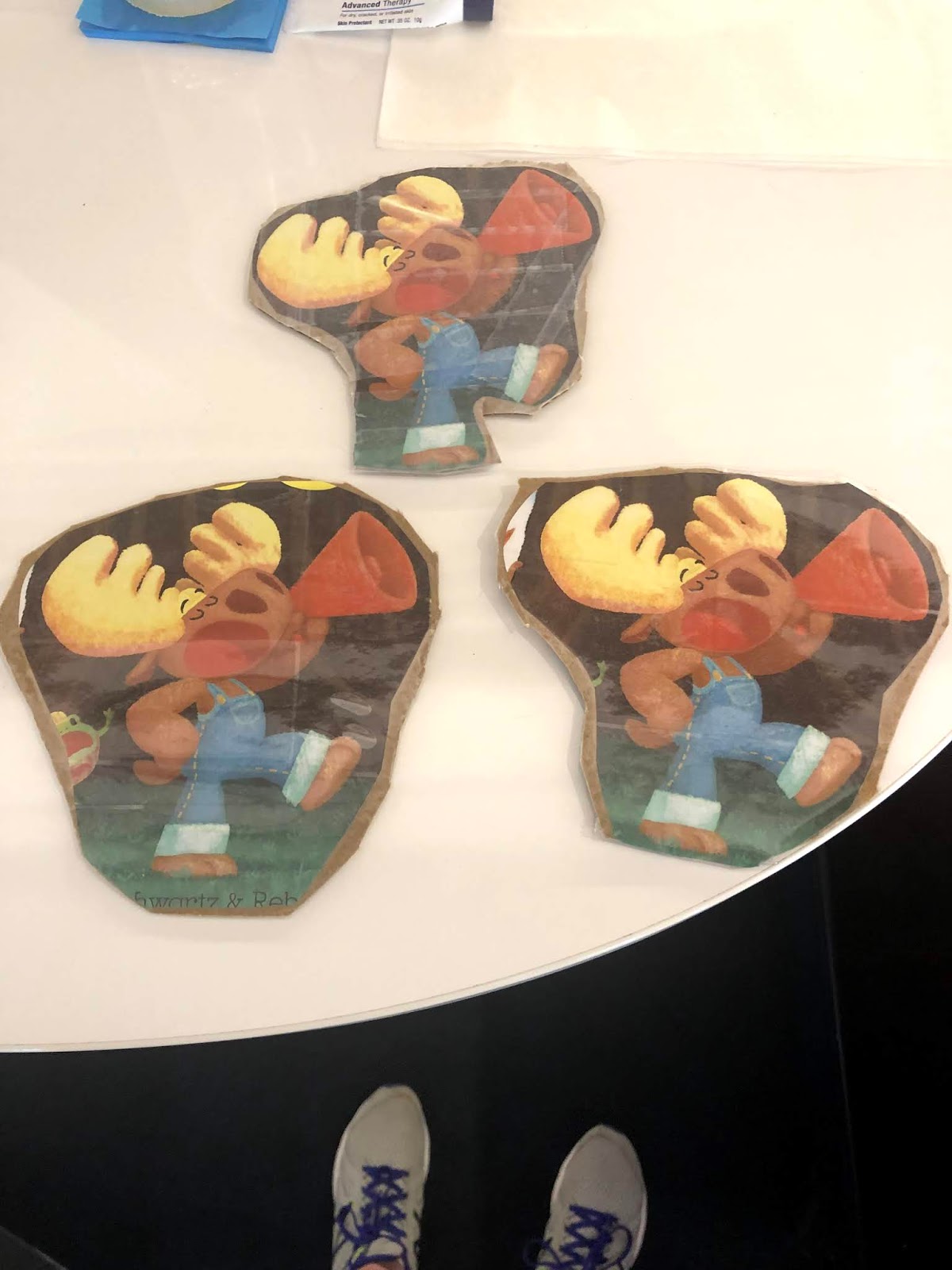
The next step was the building challenge inspired by the story. In the book Moose is not listening to his friends and is too busy bossing everyone around and he ends up stuck inside the treehouse. His friends come together and build a slide to get Moose out of the house. Kindergarteners challenge was to build a prototype of a house that Moose could get in and out. They would be working in groups, thinking about how they could be good team members. Kindergarteners could use any of the materials in our makerspace including cardboard, foam, bubble wrap, pool noodles, etc. Each group was given a cardboard Moose. They had to show that their cardboard Moose could fit in and out of their prototype treehouse.


Teams worked together to plan their design. Students talked to each other, explored different materials and then started building. They shared ideas, designed and then redesigned. Kindergarteners shared responsibilities and building jobs to complete their treehouse designs. Throughout the design and building process, learners “solicited and responded to feedback from others” (Learner III.C.1) as they worked with their teams to create their treehouses. They were also “actively contributing to group discussions” (Learner III.D.1), kindergarteners presented their ideas, planning, building and then redesigning together. As students presented their final projects with the whole class, kindergarteners shared the different contributions of each team member to the final product. They talked about team members coming up with the idea to use a certain material, or whose idea it was to attach a rope ladder. Through this project, learners were “recognizing learning as a social responsibility” (Learner III.D.2). Kindergarteners were developing the understanding that by working together, listening and building with others they were able to solve a problem and build some really cool treehouses for Moose.